Customisable Displays from Austco

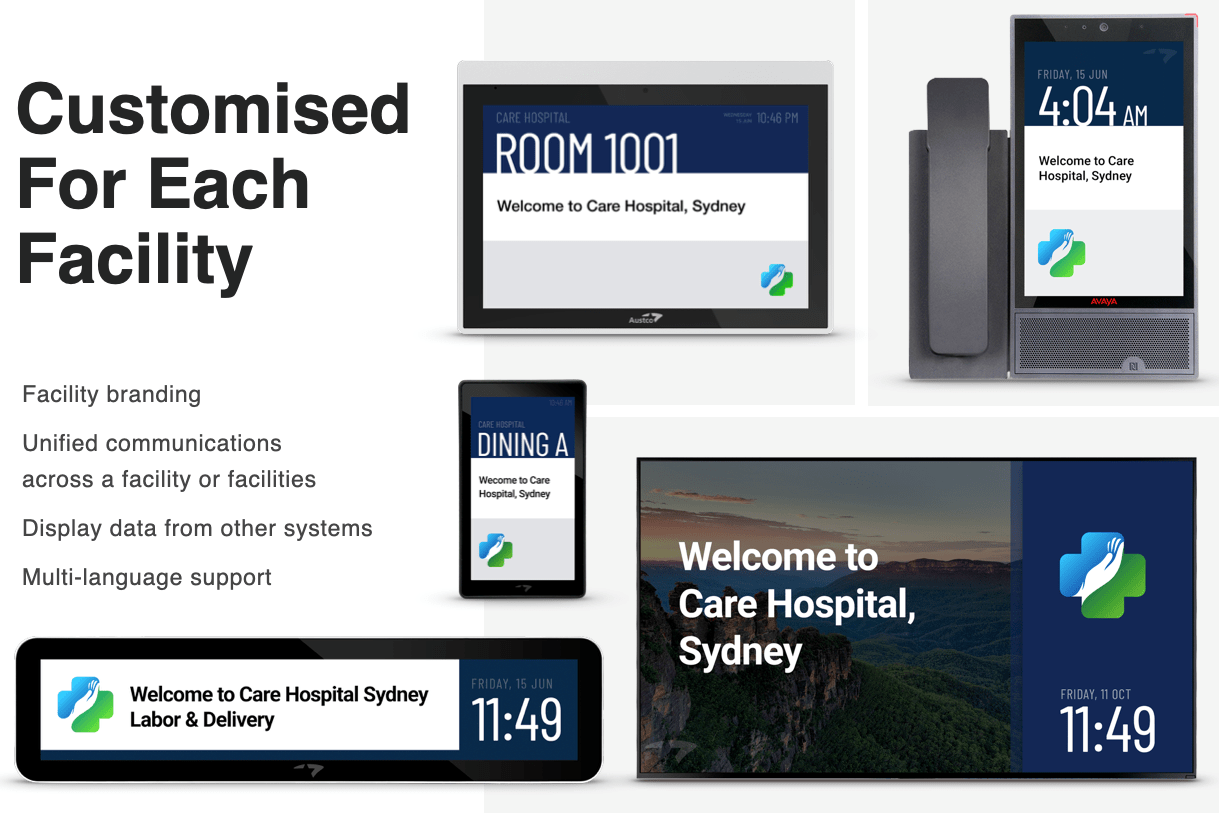
Many Nurse Call screens in Hospital settings tend to limit themselves to displaying basic alarm information and sometimes the time, and don’t really accommodate any additional information.

Given that we install screens of various types across facilities, Austco believe in working with our clients to understand what information would be useful to display on these screens when there are no alarms present.

Branding was a common theme in feedback and so we have been able to customise colour schemes on the displays, as well as displaying logos and Site (or Trust) name.

Location information was also important, and so this can be set per screen, and in corridors can help with navigating the various corridors of a hospital facility.

Screens having a unified appearance was also popular, so it is easy to identify a Nurse Call screen from other screens around a facility, and to have a layout that is familiar regardless of which screen you are looking at.

As we are a global company, multi-lingual support was very important, and the ability to display unique characters for many languages was a feature we needed to allow for, and our LCD screens enable this.

All News and Events

Healthcare Communications and Collaboration App

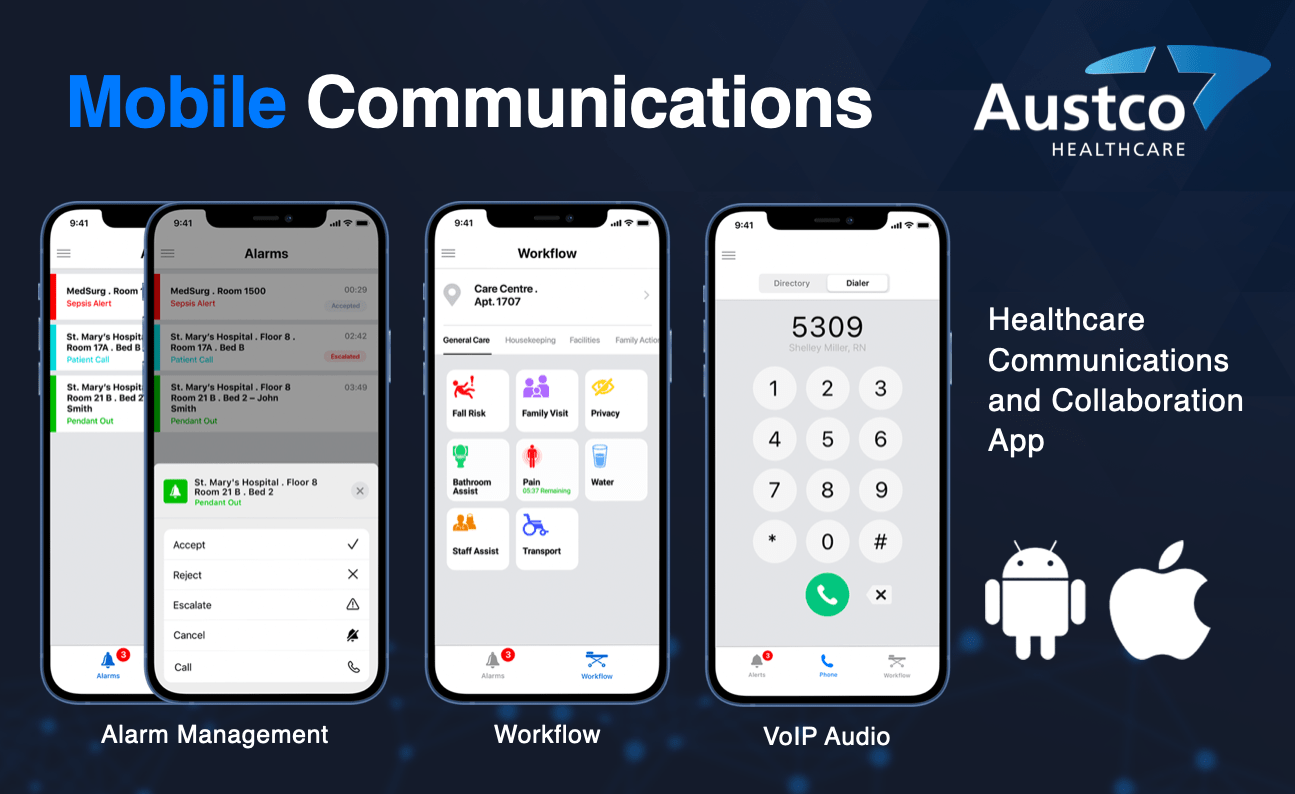
Austco’s mobile app is free to download and can work on Android or IOS phones. It offers the below functionality through an easy to use interface:

Alarm Management

Alarms are raised on the Nurse Call system in the usual way, but as well as the alarms appearing on various screens, Nurses can also receive alarms from only patients/locations assigned to them. Alarms will display in the same priority order as in the nurse call system.

Staff always know which alarms need attention and can take several actions with each alarm: VOIP callback, Accept, Reject and Escalate. If accepted, this shows on other Nurses’ devices, so they know they don’t need to attend. With VOIP callback, Nurses can establish the priority of the call by talking to the patient, and can prioritise other tasks based on that conversation.

Mobile Workflow

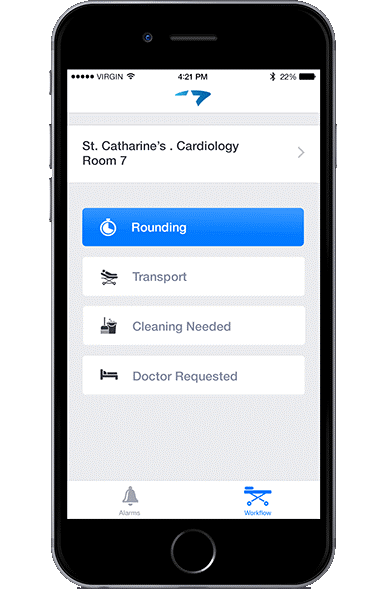
Calls can be raised from the mobile app via the workflow tab, and these can form a workflow.  A Nurse may want to raise a call for transport to move a patient, and that call will go through to the Porter team. They may then want to raise a call for the cleaning team to clean the area before either the patient returns, or a new patient is moved into the bed / room. When the cleaning team arrive they may want to let everyone know that cleaning is in progress, so no-one enters the room / area. Once finished they will want to notify all concerned that the bed / room in that location is ready. All of this can be done via workflow and can be done on the mobile app.

Reminder calls can also be set using the mobile app for such things as rounding, medication, patient turning etc.

VoIP Audio

As well as being able to callback to a patient call, VoIP calls can be raised from the mobile app.

If you would like to find out more, or to book a demonstration, please click here

All News and Events

A Nurse Call system that helps Maintenance teams.

At Austco we understand the pressures that Estates and Maintenance teams face across busy healthcare facilities. We have therefore given some thought as to how our systems can help these teams to both carry out their work, but also to report on how well they are doing. The below three sections identify areas in which Tacera can help.

Self Monitoring

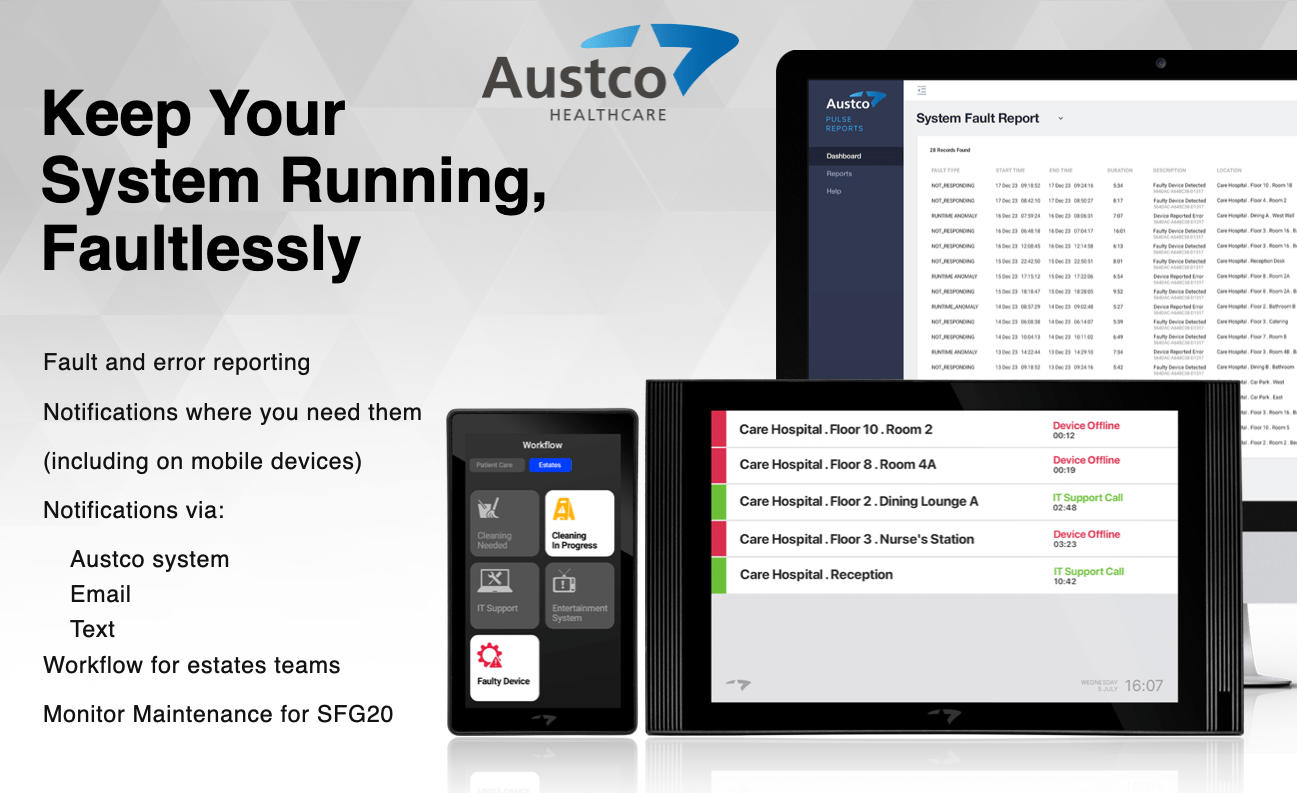
Austco’s Tacera system monitors itself for faults, and when it finds something wrong, it will raise a Maintenance showing the location of the issue and the time the call has been active.  These maintenance calls can be sent to whichever screens or devices the customer requires, and in most cases, this would be to a screen in the Estates Office. However, with our mobile solution, the maintenance calls can go to specific mobile devices, normally those held by members of the maintenance team, so they can be updated on issues with the system on the move. Other screens can have these calls filtered out so only patient calls, emergencies etc appear on the main Nurse Call screens.

In addition to this, the maintenance calls can also be sent via text or email to enable a wider reach for these notifications.

All of this is designed to help spot issues sooner, so we can maximise up-time.

Maintenance Requests

Our system can be used to create workflows that can be used by maintenance teams, but also for sending maintenance requests to those teams. Calls can be raised for all sorts of maintenance issues including electrical issues, heating issues, lighting issues, and any other issue you would like programming onto the system that would need a maintenance request. These requests again could be directed to a screen in the Estates Office, or to specific mobile devices, or can be sent via text or e-mail. When the Maintenance Team arrives to deal with the issue, they can cancel the call at source and the system records the response time. The process of raising requests in this way avoids the need to clinical staff to have to return to the Nurse Base to raise a request, whether that be via phone, e-mail, or any other method. It can be done at source so the clinical team can get on with their work. The workflow can be made to show more information, so instead of just cancelling the call when the Maintenance Engineer arrives, they can identify they they have arrived and are starting work on the issue, and the system can be set to then cancel the initial request automatically, as this is now “in progress”. Once the issue has been resolved, the Engineer can set the call to “resolved” and again an audit trail of how long each action has taken will be logged for reporting. This process can be tailored to the customer’s needs.

Compliance

Reporting for standards such as SFG20 is becoming more of a requirement than a nice-to-have. With our workflow Screens, we can set a separate page specifically for this. Buttons are created for such things as quarterly checks on the Nurse Call system, press to start checks and press to finish checks. This leaves an audit trail of the checks, and the locations checked for reporting. This can be done for any system that needs to be checked quarterly, annually or even monthly.

We have two options for the screens to use for workflow. Our App Station offers a larger screen, and the Touchpoint is a lower cost option and is of a more convenient size for areas that are tight on wall space. Each can have multiple tabs to enable more functionality.

And of course, Austco’s Workflow also works seamlessley on all mobile phones for unrivalled versatility.

All News and Events

Another fine installation

Austco completes another excellent project on time and to a high standard.  Our equipment will be on display at Healthcare Estates on 8th and 9th October so please come and visit us at Stand H13. To schedule a live demonstration please click here.

All News and Events
Austco in Gibraltar

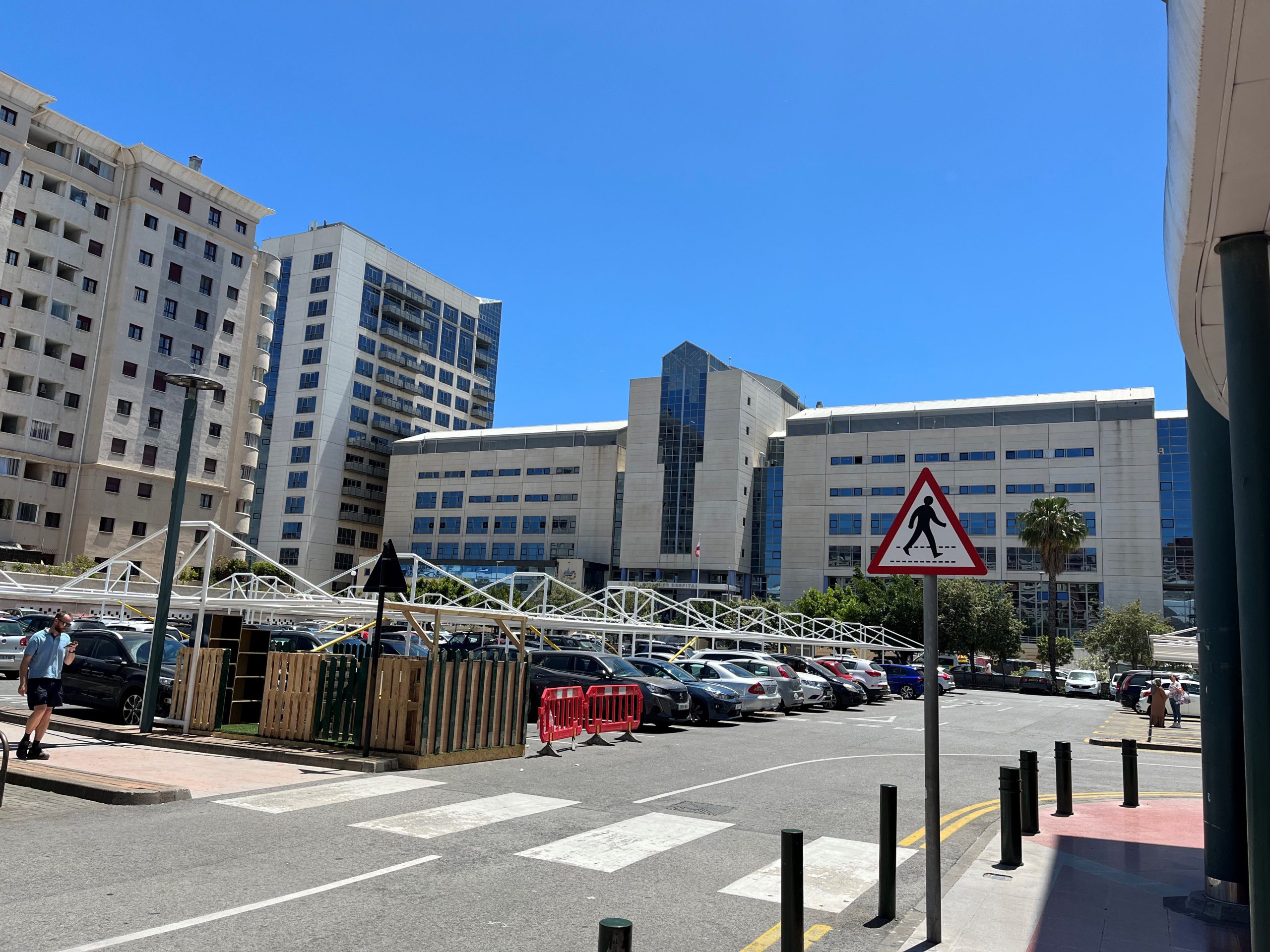
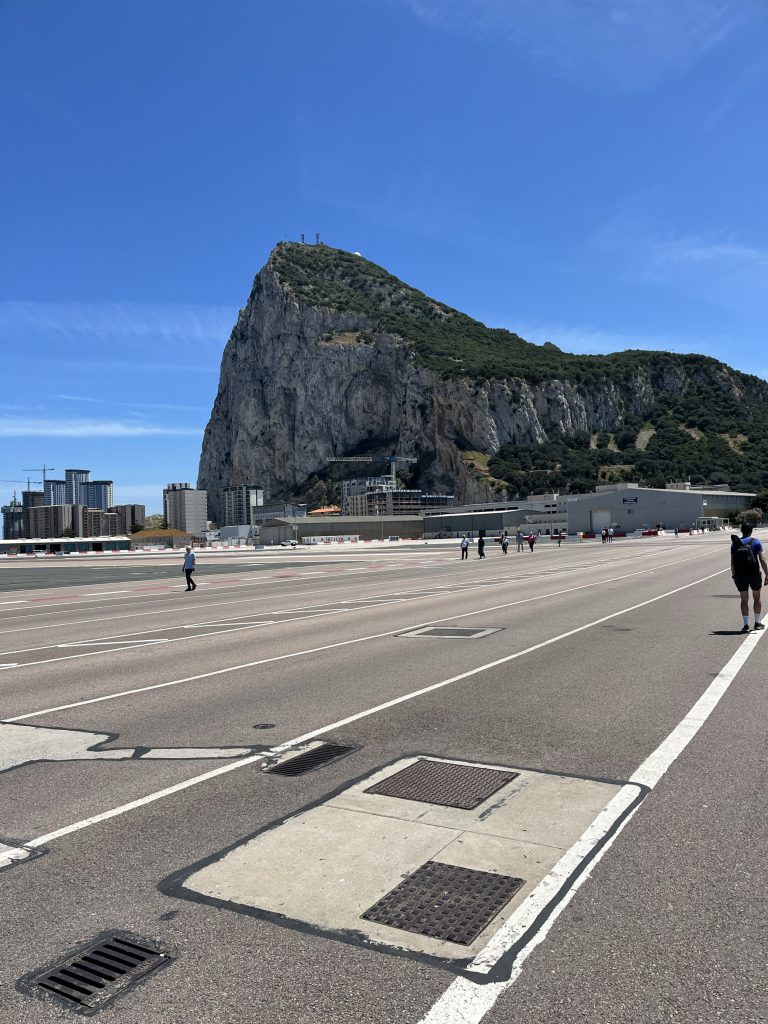
This week some members of the Europe team are in Gibraltar carrying out Routine Maintenance on the Medicom systems installed there. The systems have been installed for many years and are still going strong. As well as carrying out the PPM work, we take the opportunity to build the relationship with our client while in this lovely location.

All News and Events
Annunciator Displays Showing the Way

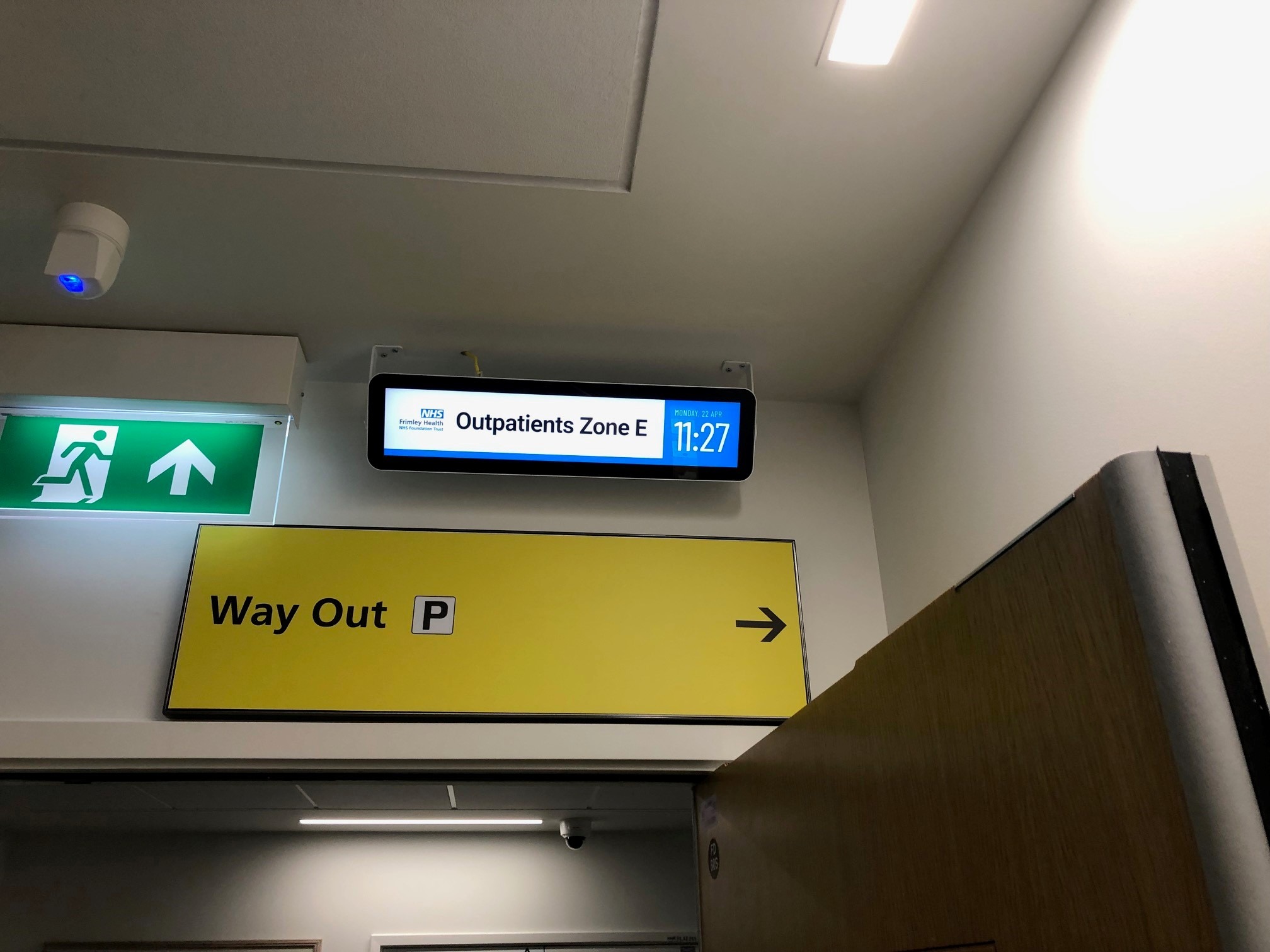
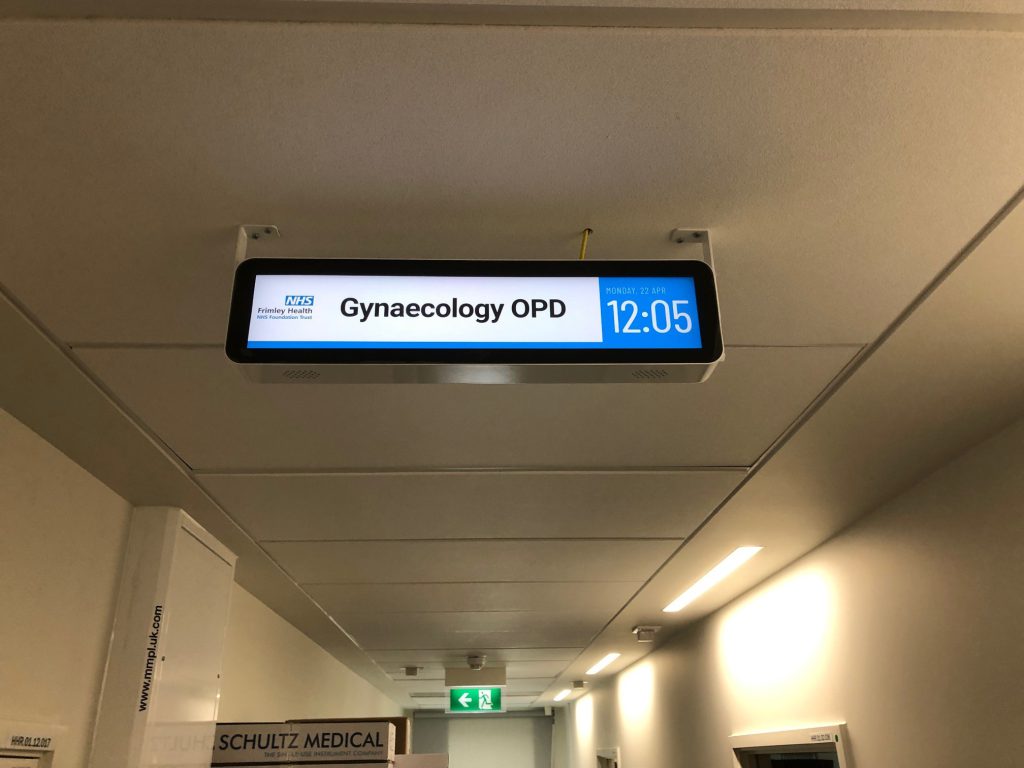
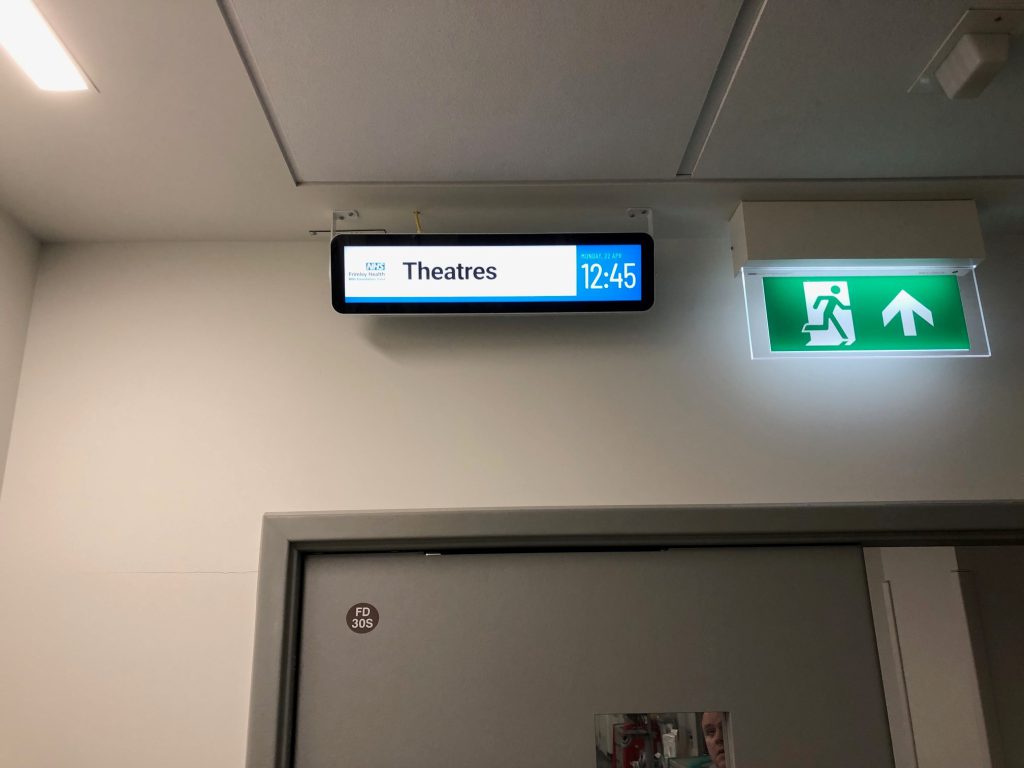
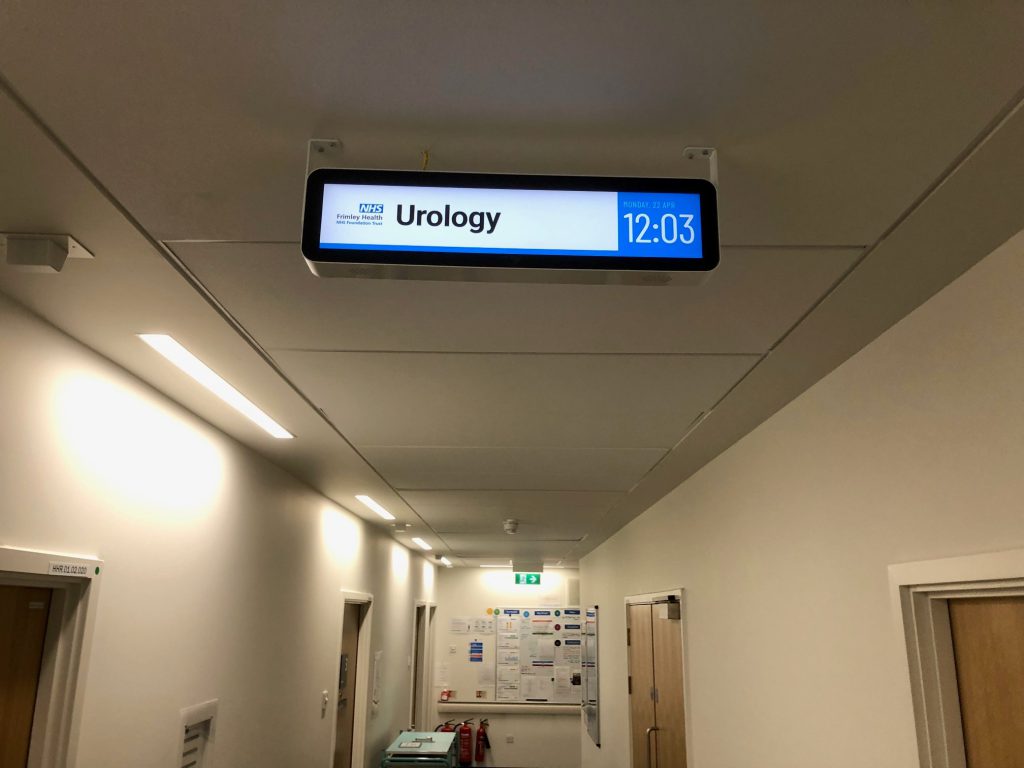
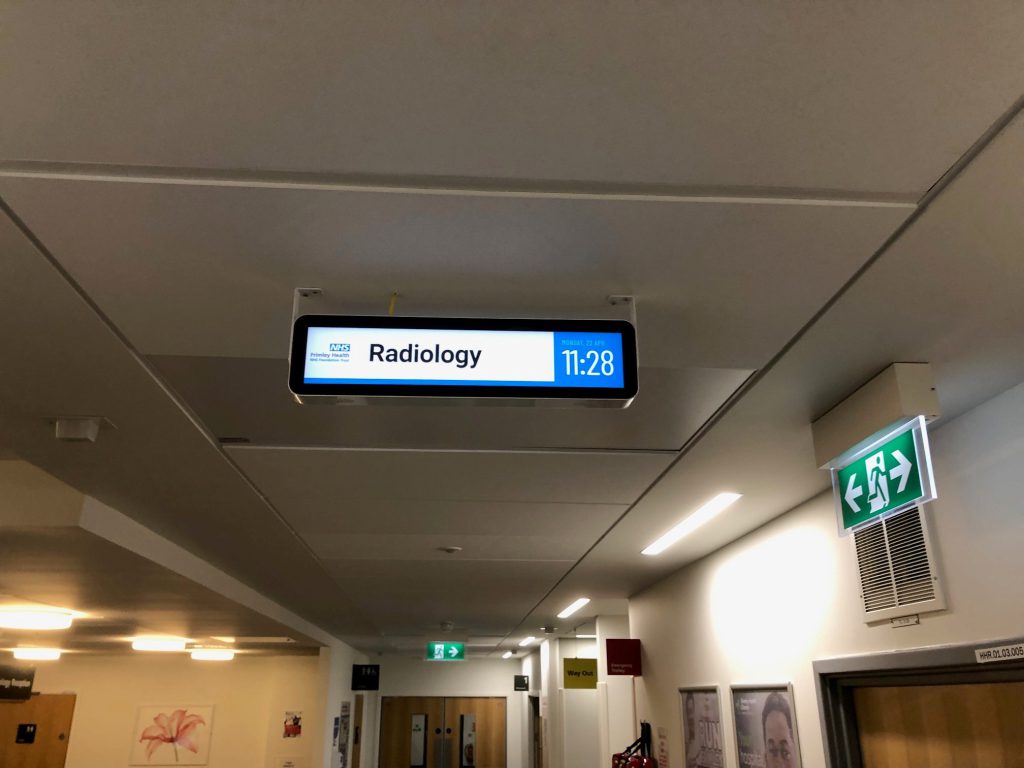
In the maze of corridors in many hospitals, you can sometimes find yourself wondering where you are. It is therefore helpful to have signs or displays showing the name of the area of the hospital.

Austco’s latest Annunciator Displays have customisable home screens, where logos and important information can be displayed while there are no alarms to display. A good use-case for this therefore is displaying the area of the hospital in which the display is located. This information is replaced by alarm information if an alarm is to be displayed on this screen, but is displayed again once the alarm is cleared.

If the Hospital is reconfigured and the area changes use, the home screen can simply be reconfigured to show the new name for the area.

With Austco’s Pulse Manage, we have a number of screen types that can be configured in this way so you are not just limited to corridor displays.

For more information or to arrange a demonstration of this, please click here or  e-mail sales.uk@austco.com


All News and Events

Austco at HEFMA’s Leadership Forum 2024

To see how we can help transform Clinical Workflow, and deliver the right information to the right person at the right time, please come and visit our stand at the HEFMA Leadership Forum in the Digital Transformation Hub. We will be at Stand H2 and are looking forward to demonstrating what our systems can do for you

All News and Events
Donating Stem Cells

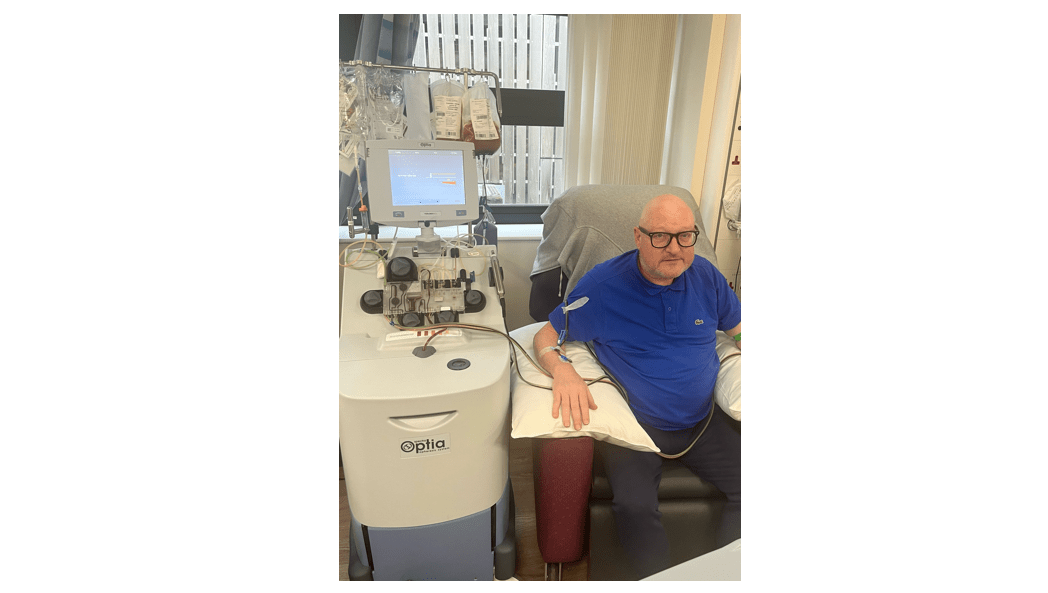
Our Sales Executive Martyn was at The Centre for Clinical Haematology in Birmingham last week donating Stem Cells for his brother who is suffering from Chronic Myeloid Leukaemia. This is a tremendous commitment by Martyn, and we are very glad to have someone of this nature on our team. Best of luck Martyn, we hope the procedure is a success.

All News and Events
A busy year so far for Austco Healthcare (Europe)

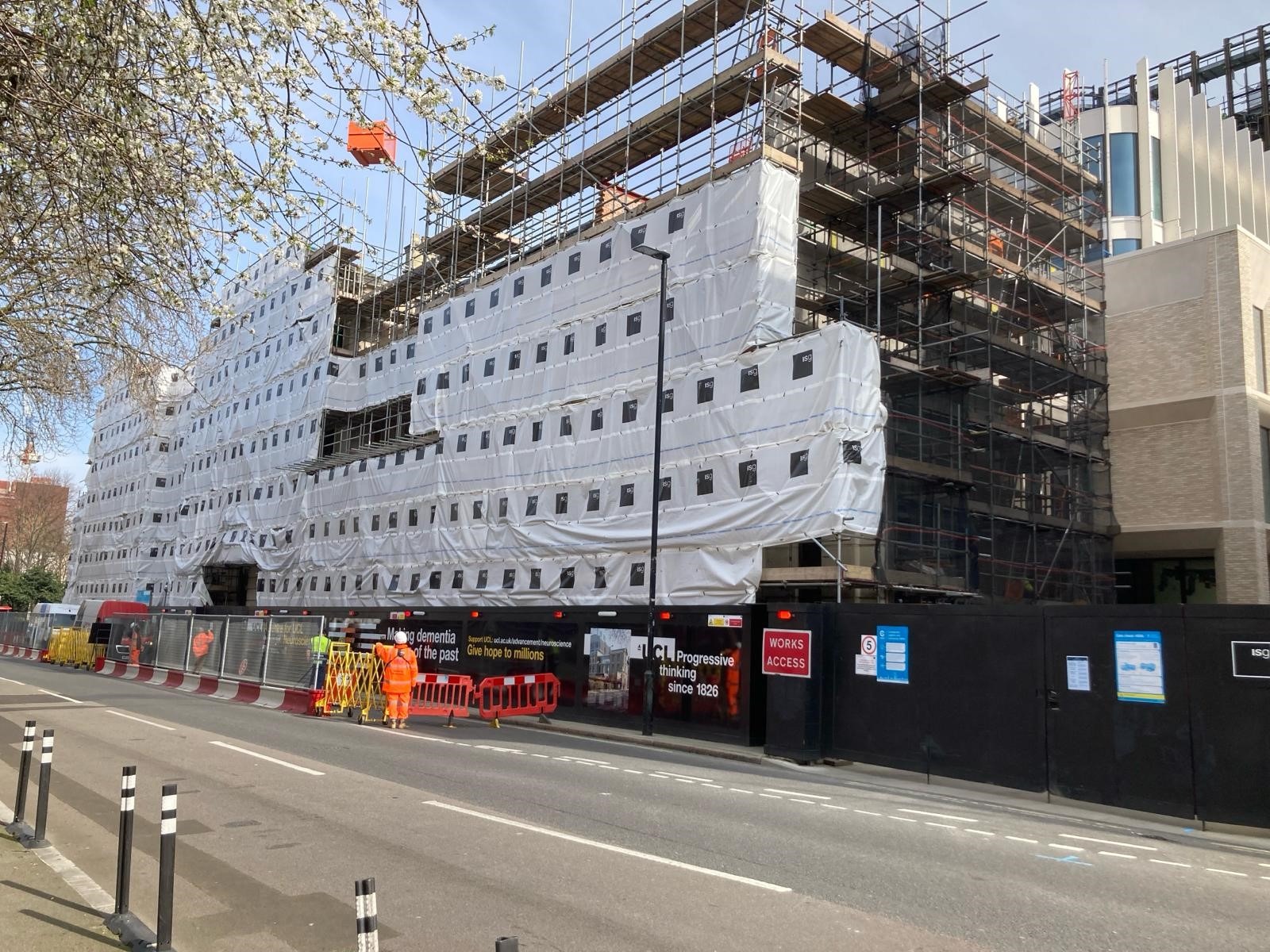
2024 is proving to be a very busy year for both from a sales point of view but also for the ongoing projects we have. We have been out recently visiting a number of these sites. Our order book is at it’s highest level for many years, and we are seeing far more interest in our advanced features than we have at any point in the past. As we grow, we will be able to offer more case studies for these advanced features, and we are working on a project at the moment that will offer something unique in the market that we will be able to share as and when complete and data analysed.


All News and Events
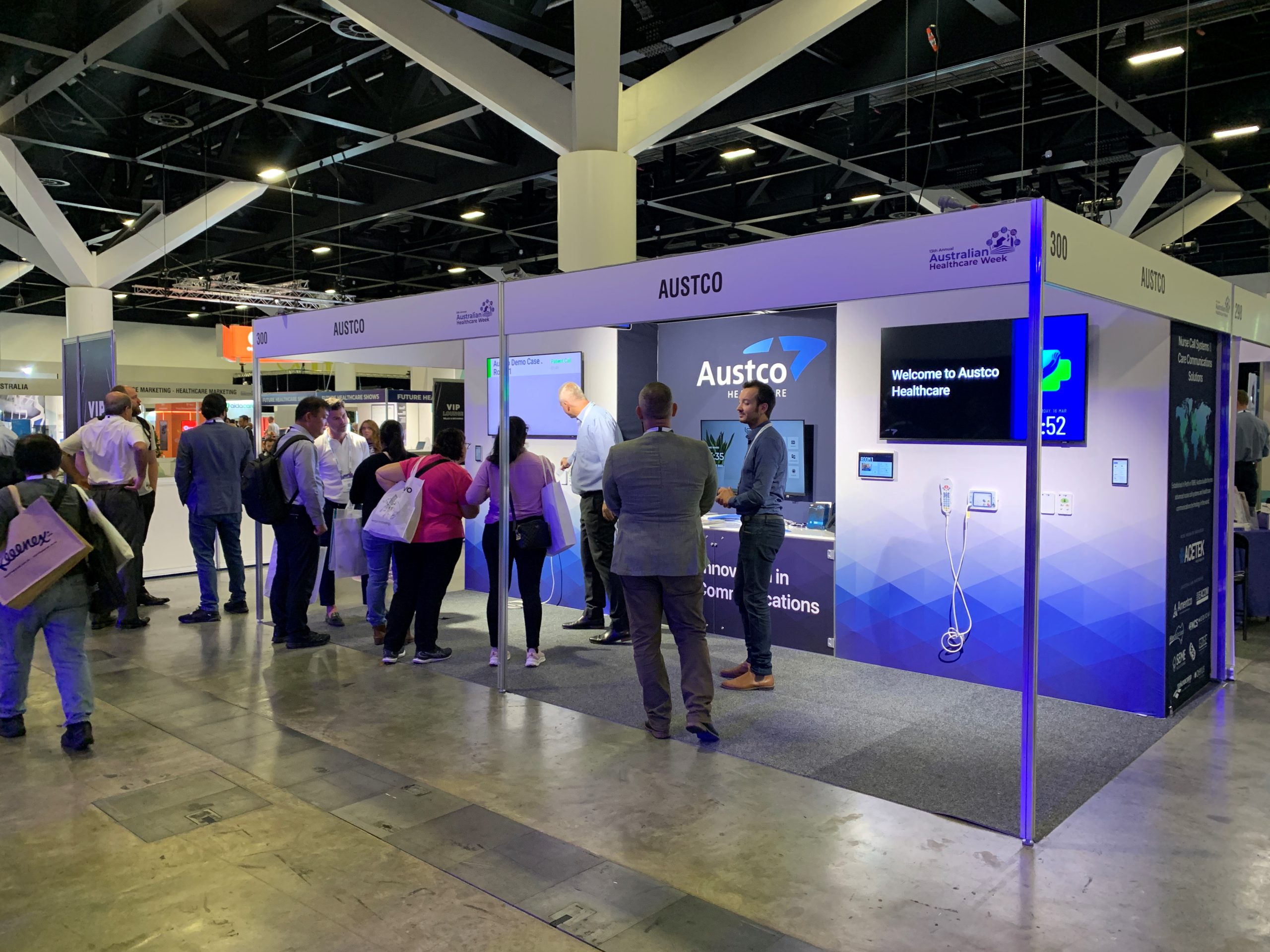
Austco Exhibiting at Australian Healthweek

Austco would like to thank everyone that took the time to visit our stand at Australian Healthweek. If you would like a presentation of Austco’s latest Clinical Communication System advancements, please reach out directly via LinkedIn and we will arrange a time that suits.


All News and Events